Repairs
Hold stock out of availability and disposition it by return or write-off.
Overview
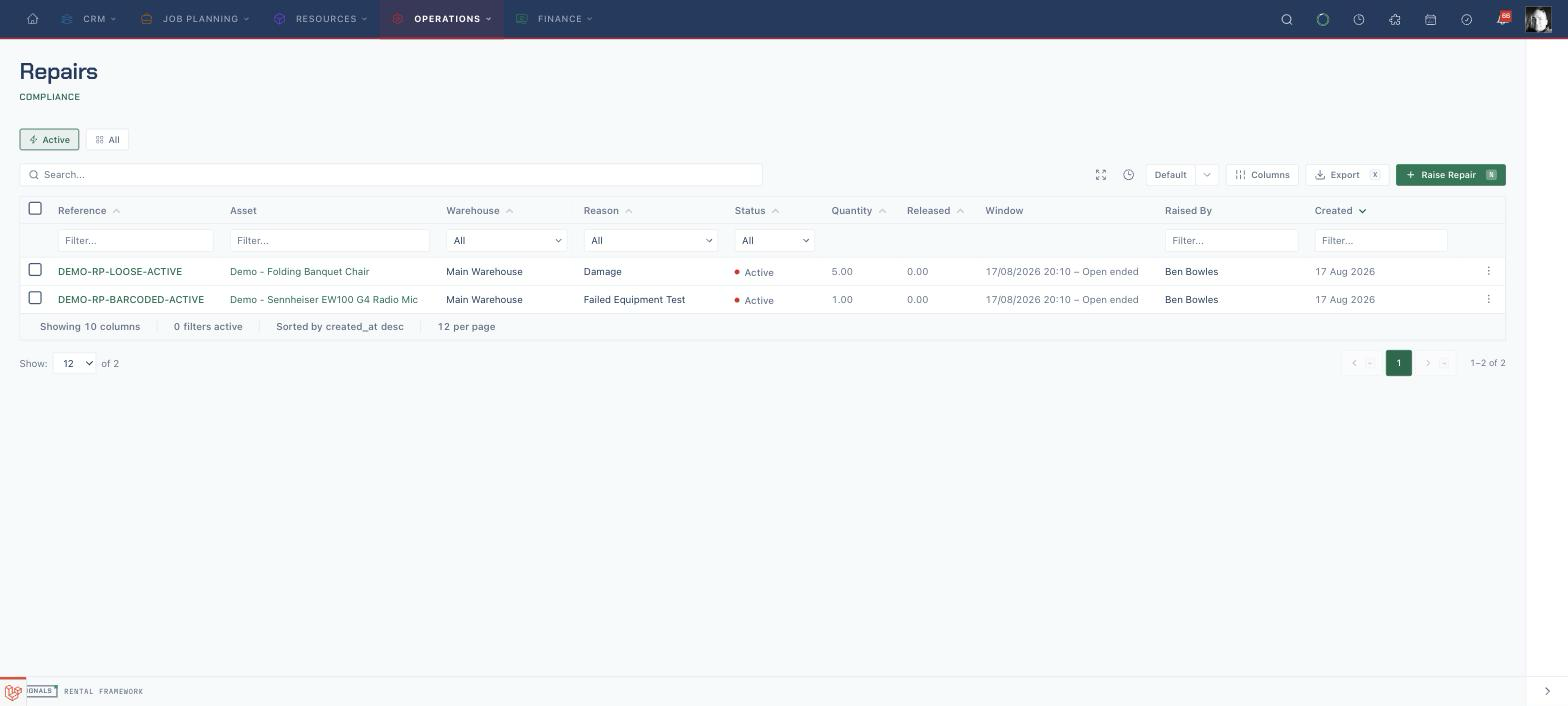
A repair holds stock out of service — damaged, under investigation, or awaiting repair — until it is dispositioned. A repair can hold a loose quantity or a specific barcoded asset. While active it consumes availability exactly like a booking, so held stock never gets offered on new quotes.
Repair UI routes:
| Route | Purpose |
|---|---|
/repairs |
Repair index (active by default) |
/repairs/create |
Raise a repair |
/repairs/{repair}/edit |
Edit a repair's reference, reason, window and notes |
/repairs/{repair} |
Detail overview — fleet impact, disposition ledger, repeat-repair history, briefing verdicts |
/repairs/{repair}/files |
Attachments (damage photos, paperwork) |
/repairs/{repair}/tabs/{key} |
Plugin-contributed tabs |
The detail overview leads with the availability impact of the hold: how long the unit has been out, which rental commitments the held demand squeezes, and a fortnight free-stock line. Cost figures shown on the detail page are a window approximation — costs are recorded against the asset (via maintenance purchase orders), never linked to the repair itself — and are visible only to users with cost visibility.
The record navigation separates Disposition, Costs, Details and History into their own pages. The overview keeps the availability impact and asset facts.
Raising a repair
The form groups the affected stock and repair reason with the Window dates. Expand More details for notes. The edit page uses the same layout for reference, reason, dates and notes.
Raise Repair (/repairs/create) asks for the asset (search by catalogue item, item name, asset or serial number), the quantity for loose stock, an optional Reference and Reason, a Starts at time, and either a fixed Ends at or Open ended, plus Notes. The edit form (/repairs/{repair}/edit) changes the reference, reason, window and notes.
How repairs affect availability
An active repair writes a positive demand into the Availability Engine — held stock is subtracted from available quantity in the same way a confirmed booking is. Availability surfaces attribute the hold separately, so you can see what is held versus what is booked. When a repair completes or its window passes, the demand voids automatically and the stock returns to availability.
Raising a repair on a barcoded asset
When you repair a specific asset, the outcome depends on the asset's current state:
| Asset state | Behaviour |
|---|---|
| Free | Repairs cleanly |
| Has a future confirmed allocation | The allocation is displaced (requires the displacement permission); the affected order then shows as short through normal shortage detection |
| Currently dispatched | Rejected — return or check the asset in first |
Repairs can also be raised automatically: a failed equipment test on a flagged definition, and a damaged item flagged on kit return both raise repairs through the same shared path.
Returns Workbench also offers Repair as a return-issue disposition. Its Repair reason picker reads the same active configured list as the standard repair forms.
Dispositioning
Complete a repair by choosing a disposition per unit held:
- Return to Stock — the held stock re-enters inventory.
- Write Off — the stock is removed; a barcoded write-off retires the asset.
Dispositions can be mixed and partial — for example return four of ten units and write off six. A partial disposition reports that the repair remains active; completion is reported only after the full held quantity is dispositioned. A write-off reduces held stock and voids the repair's demand in the same step, so availability is never double-counted. Damage photos can be attached to the repair record.
Permissions
| Permission | Grants |
|---|---|
repairs.access |
Access the repairs area |
repairs.view |
See repairs |
repairs.create |
Raise and edit repairs |
repairs.release |
Complete/release repairs and disposition stock |
API
Repairs are exposed at /api/v1/repairs with complete and release actions — see the Repairs API.
The list defaults to active statuses. Send include_inactive=true for all statuses, or use a standard status filter such as filter[status_id][eq]=52 to select a status explicitly. filtermode is ignored.
Repair requests, responses and filters use notes for the repair narrative. Sending the former description field returns 422: “Use notes.”