Batch-Approving Eligible Requests
Review, select and approve eligible requests together.
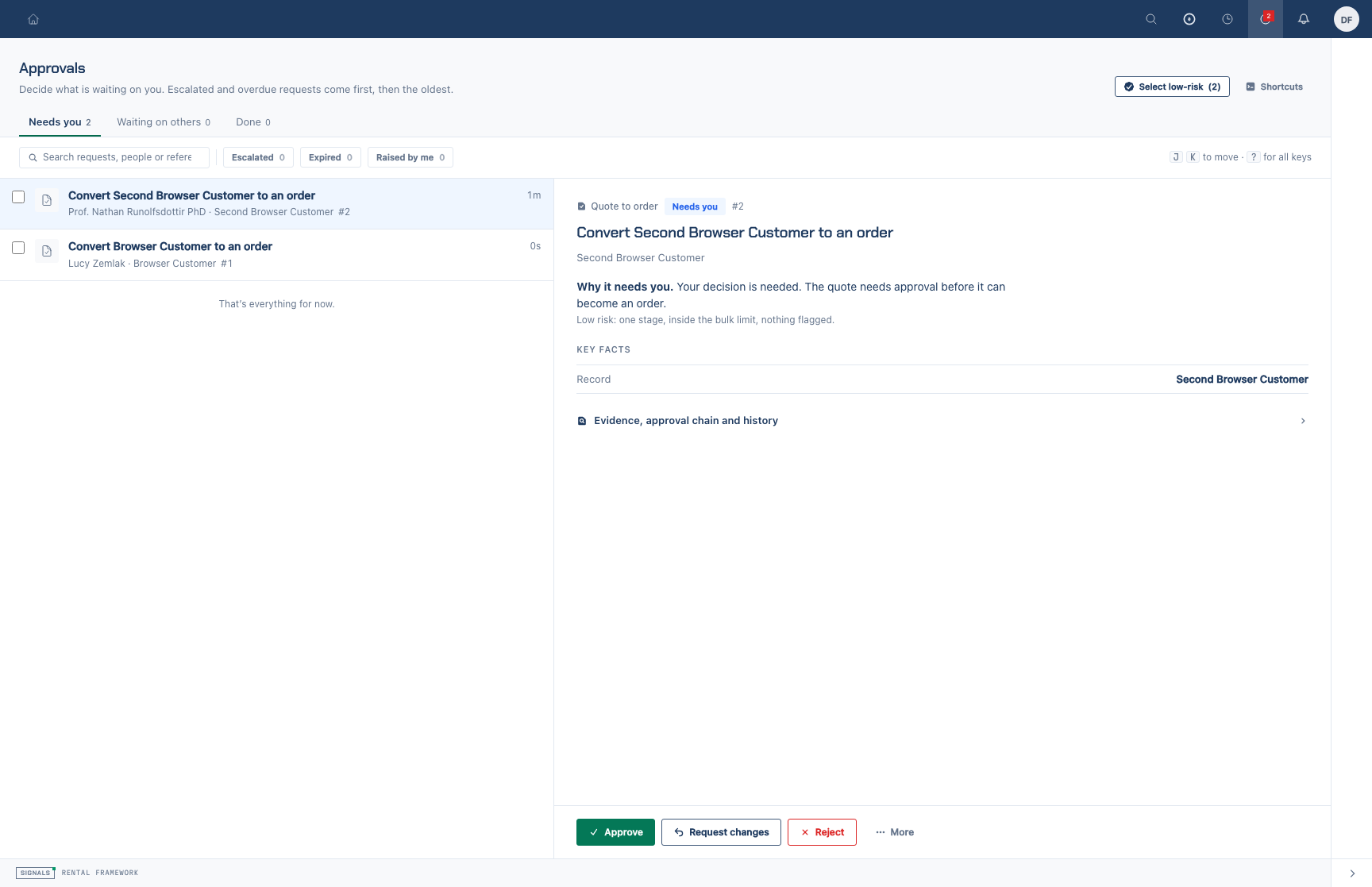
Review eligibility
Open /approvals and use Needs you, filters and search to find requests. Open each request when you need to inspect its evidence. An eligible request must be pending, have exactly one non-skipped stage, and have pending assignments you can all action. It must not be due or escalated. High-risk account operations and invoice write-offs are excluded.
An administrator may set a tenant-wide base-currency cap. When set, a request needs a comparable value at or below that cap. When no cap is set, no amount test applies. Eligibility is not a substitute for reviewing the decision.
Approve the selection
- Select individual eligible rows, or choose Select low-risk to select eligible requests on the current page.
- Review the selected count and leave out any request requiring a note, changes, rejection, delegation or further evidence.
- Choose Approve with the selected count and read the result. A submission accepts at most 100 distinct requests.
- Review any requests that remain pending. The server checks eligibility again before and during processing; each request is processed independently, so a refusal does not undo successful approvals.
See Batch Approvals for the full eligibility rules and REST refusal codes.