Building a Report
Read a saved report, edit its definition inline, or create a new report and save it.
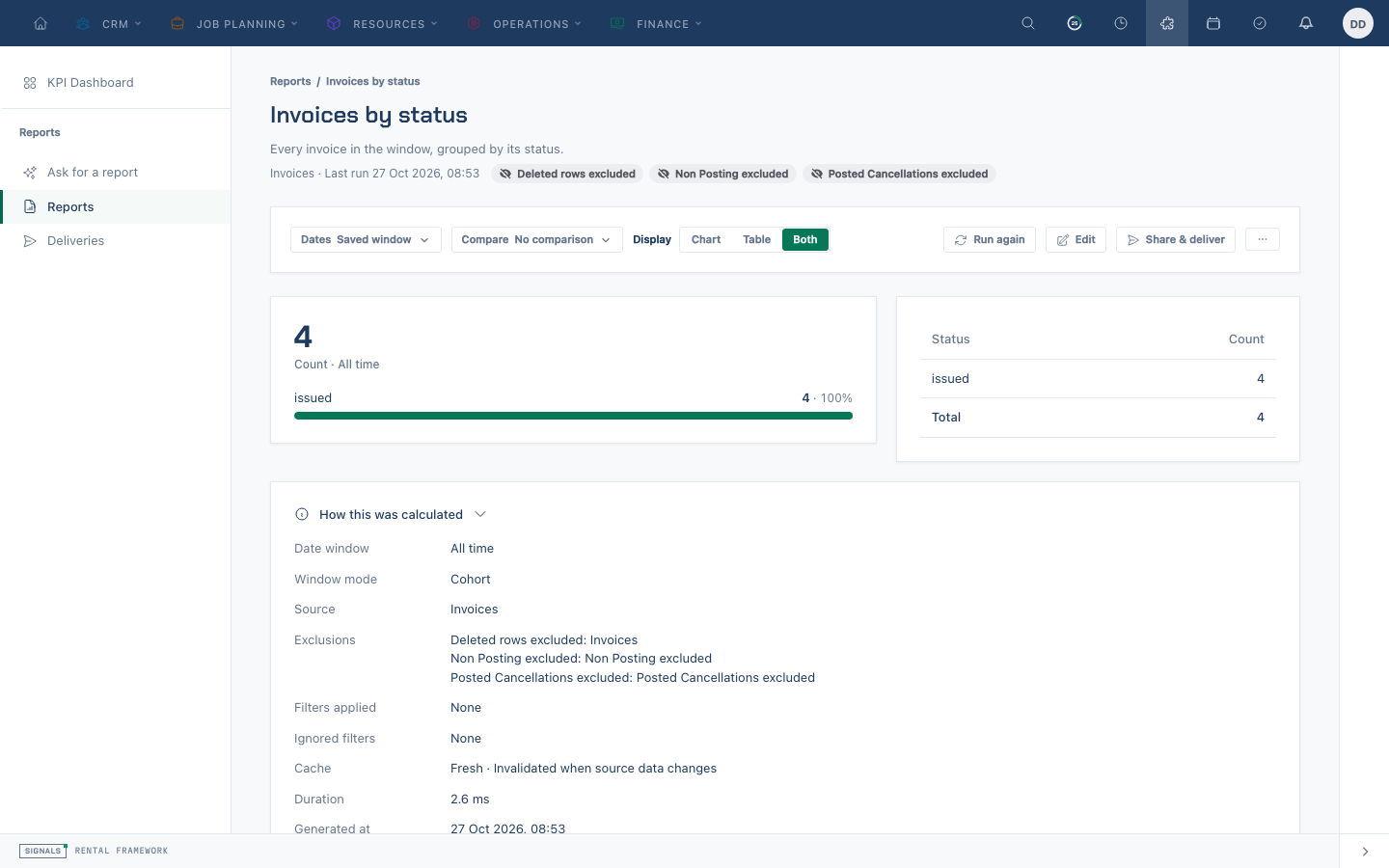
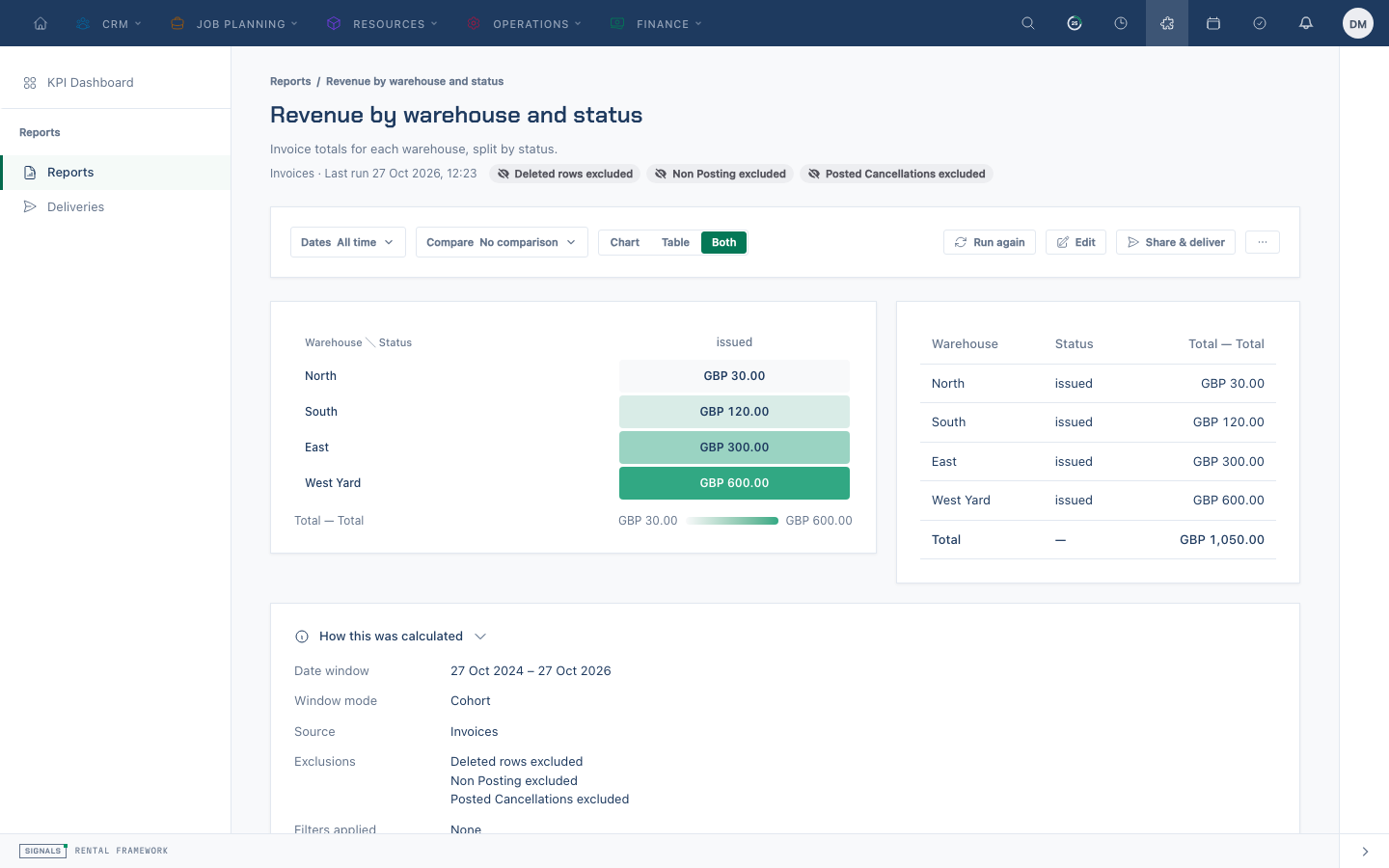
Read a report
- Open Reports at
/reports/listand select a saved report. Its reader opens at/reports/view/{id}. - Choose the date window and comparison, then read the table or visual and the evidence explaining exclusions and filters. Open a row's underlying records when drill-down is available.
- Use Run again to refresh, or export CSV, Excel or PDF when your role has
reports.export. - If you can view the audit trail, Recent runs shows the latest five deliberate runs, including who ran them and when.
- Choose Edit to change an editable report, or save a system report as a copy before changing it.
The definition does not grant access to its data. Results are calculated using the viewer's own permissions and warehouse access.
Create or edit inline
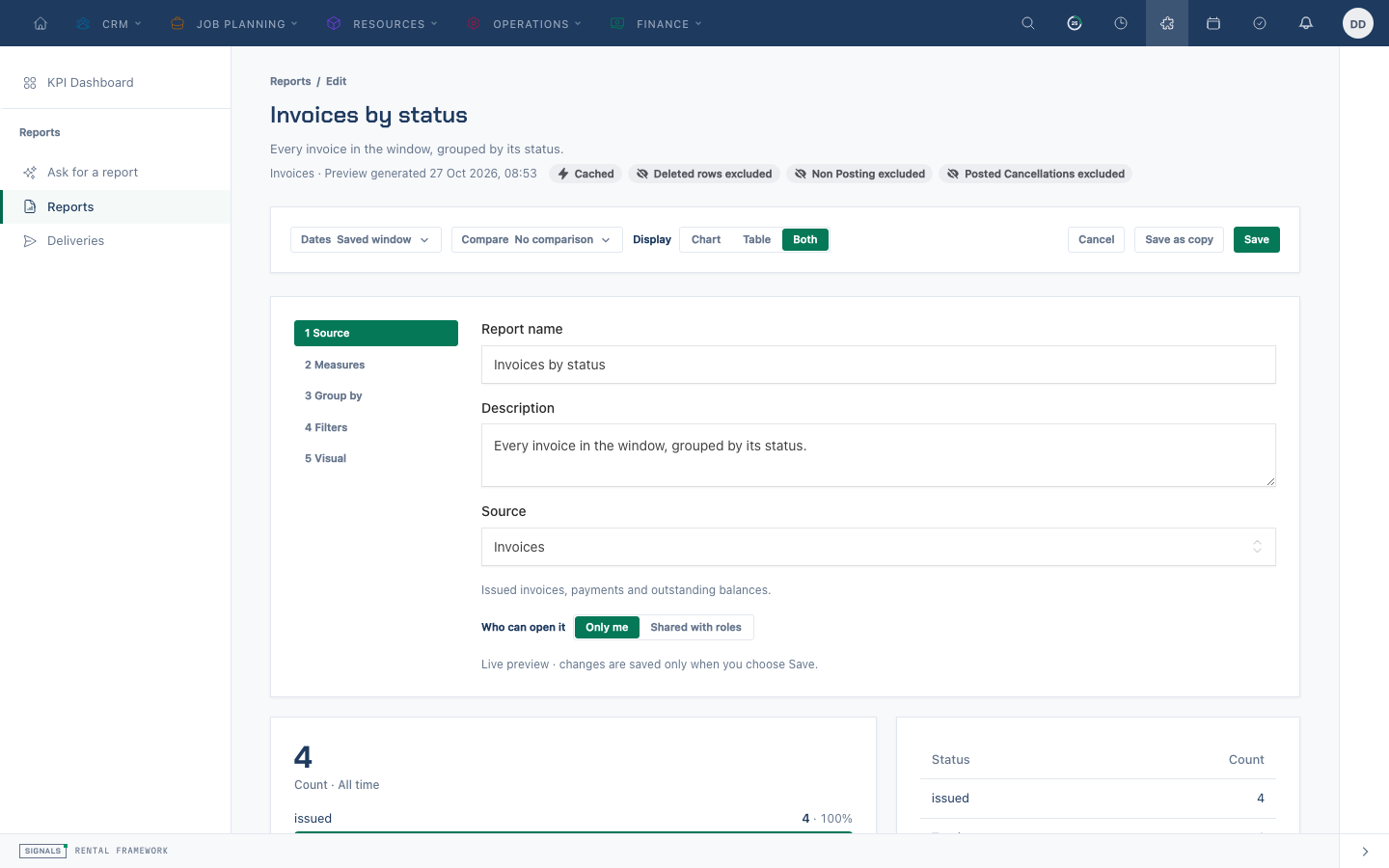
- Choose New report on the list to open
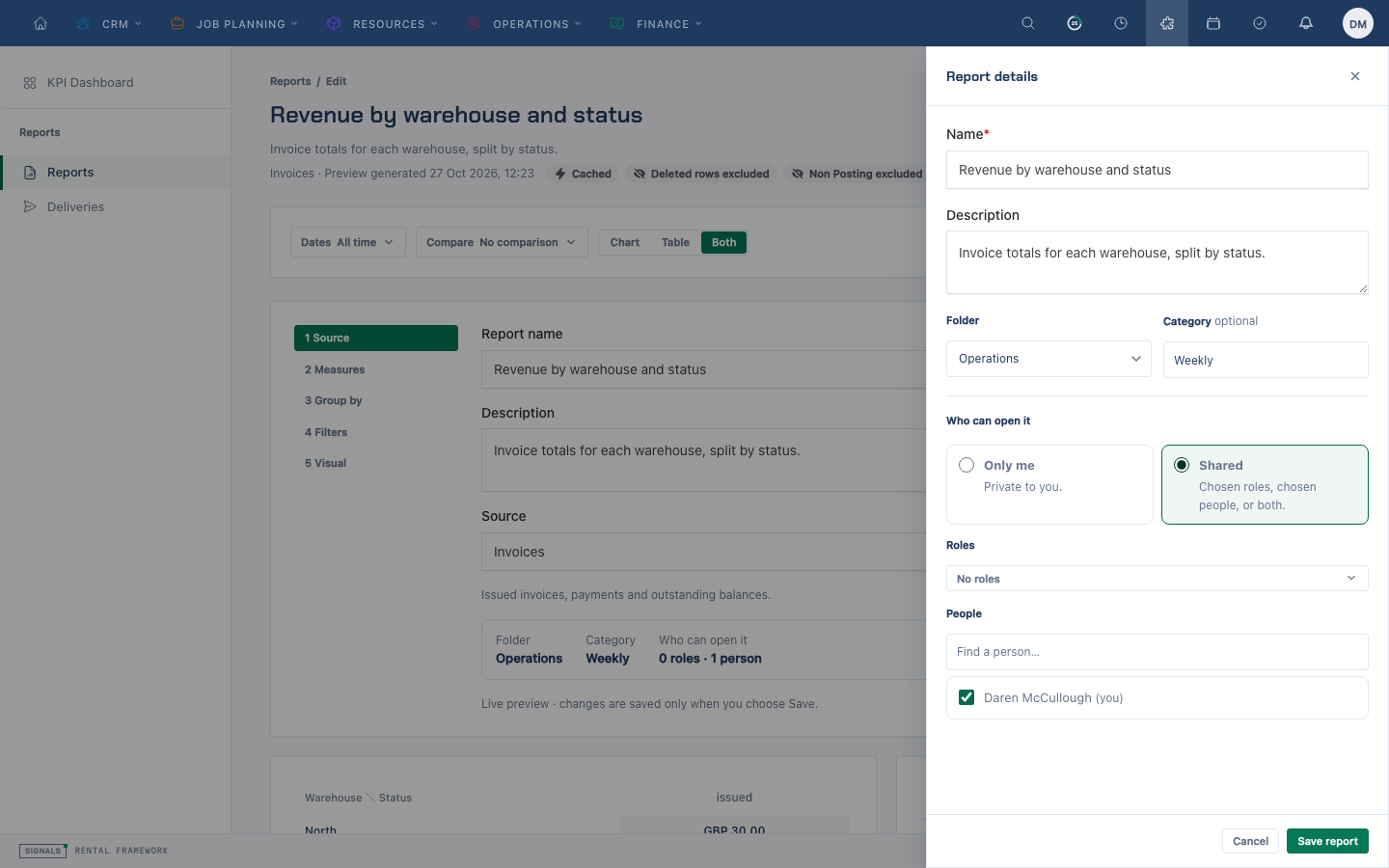
/reports/new, or Edit in an existing reader. - Under Source, choose its data source. Use Folder & sharing to open the report details sheet when you want to change its organisation or audience.
- Under Measures, choose the values to calculate; use Advanced for available calculations and derived measures.
- Under Group by, choose dimensions to split the values into rows. Under Filters, narrow the records and choose the date window.
- Under Visual, select a presentation and review the preview. A Heat matrix needs two groupings and a measure; Stacked bar uses the second grouping for its stacks. Number displays the first measure’s total as a headline. Check the evidence and any assumptions before saving.
- Choose Save. For a new report, complete the save sheet with a name, optional description and category, a folder, and visibility. Choose an existing folder or New folder… to name one. Select Only me or Shared; for a shared report choose the roles or people who should have access.
- For an editable saved report, Save updates it; Save as copy creates a separate report and leaves the original in place. System reports are saved as copies. Open Share & deliver on a saved report to arrange deliveries or public snapshot links.
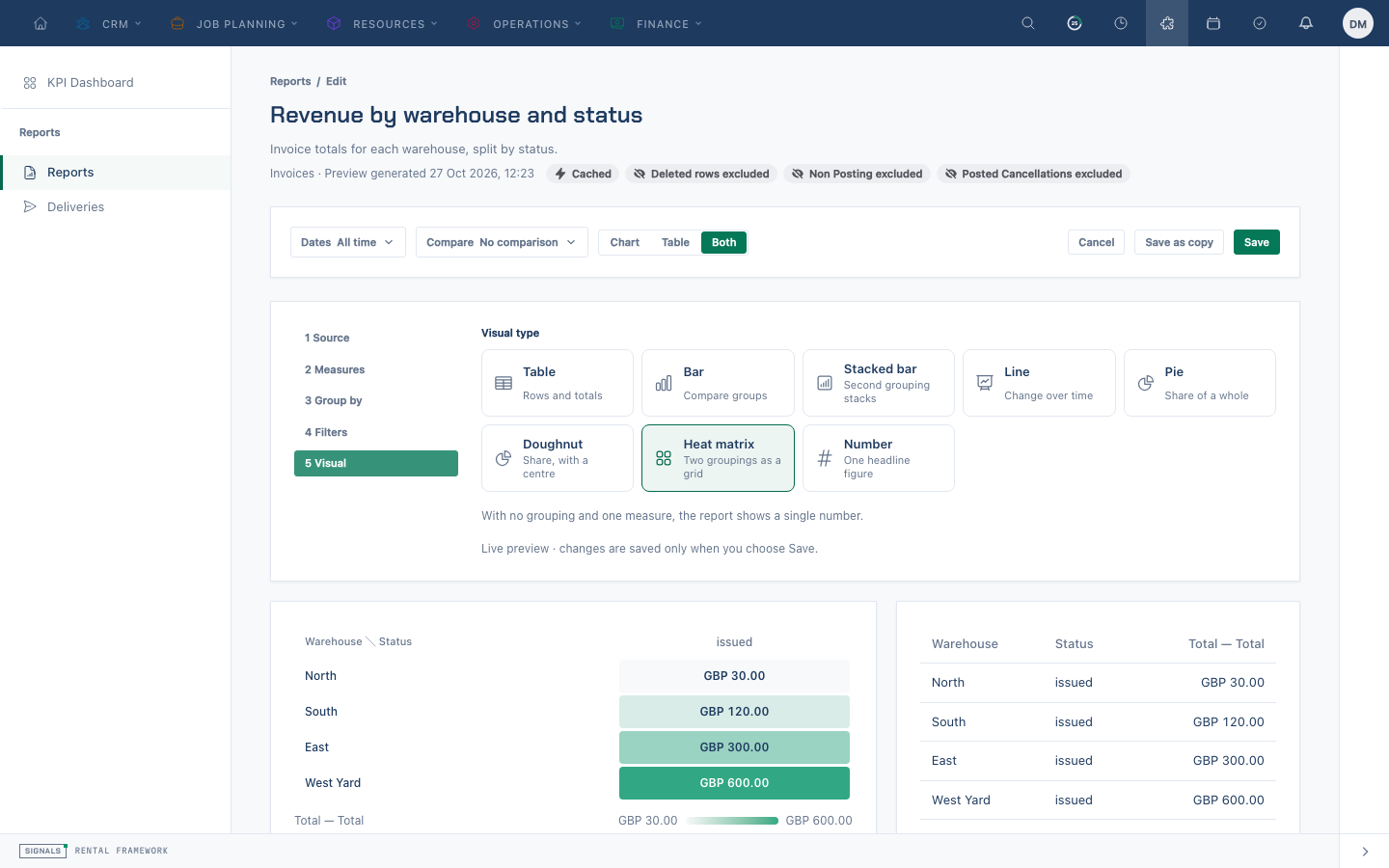
The preview runs under your permissions and can be capped; read its displayed truncation message before treating it as a complete result. The saved definition has its own row limit.
Related
| Reference | Use it for |
|---|---|
| Reports Overview | Finding the dashboard and report list |
| Asking for a Report | Starting with a plain-English question |
| Sharing a Report | Scheduling and public snapshots |
| Reports | Report definitions, security and API |