Global Search
The Cmd-K command palette — opening it, search and command modes, result groups, previews, keyboard navigation and how in-app results are ordered.
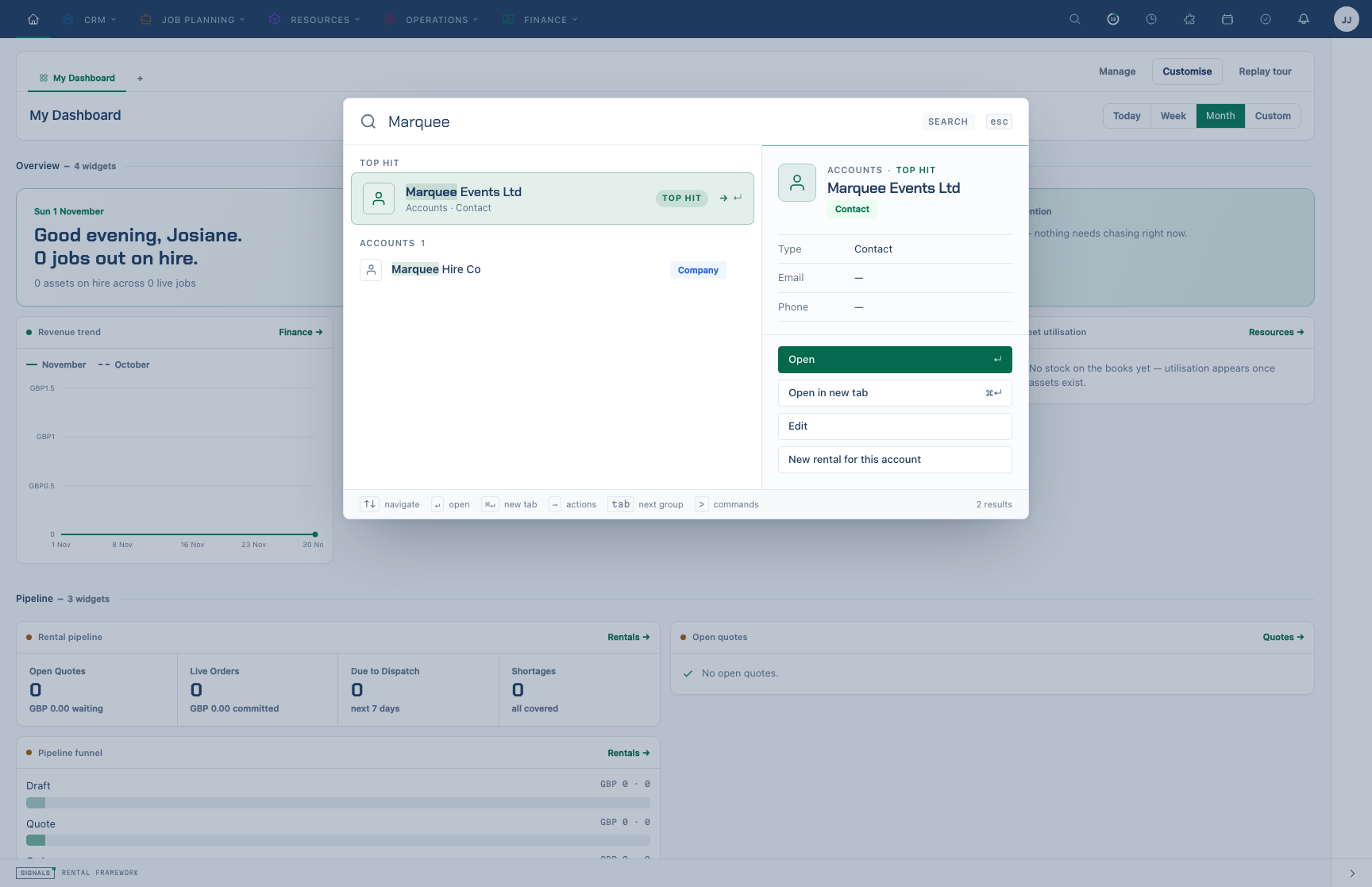
Press ⌘K (Mac) or Ctrl+K (Windows and Linux), or / when you are not typing in a field, then type a name or number. Record search starts at two characters by default; your installation can set a higher minimum. Matching records appear grouped by type; press Enter to open the selected one. Start with > to run a command or jump to a page instead.
Overview
Global search is backed by a polymorphic search_index table maintained by searchable models (observer-driven create/update/delete sync). The in-app command palette (Cmd-K), full results page and REST search API share the indexed matching and candidate ranking engine. Both web surfaces also use shared current-record matching for fleet vehicles, workflows, reports, flightcases and catalogue history. Laravel Scout is not used.
Command palette (Cmd-K)
One centred modal in the style of macOS Spotlight: a large search box, a top hit, grouped results and a preview of the selected row. It answers on every keystroke from what it already has, then merges record results from the server as they arrive.
Opening the palette
| Trigger | Behaviour |
|---|---|
| ⌘K / Ctrl+K | Toggle the command palette |
| / | Opens the palette outside editable fields; inside Admin or Your settings it opens that sheet’s search |
| Header search icon | Opens the palette |
| Click outside the panel | Closes |
Also listed on the Keyboard shortcuts page.
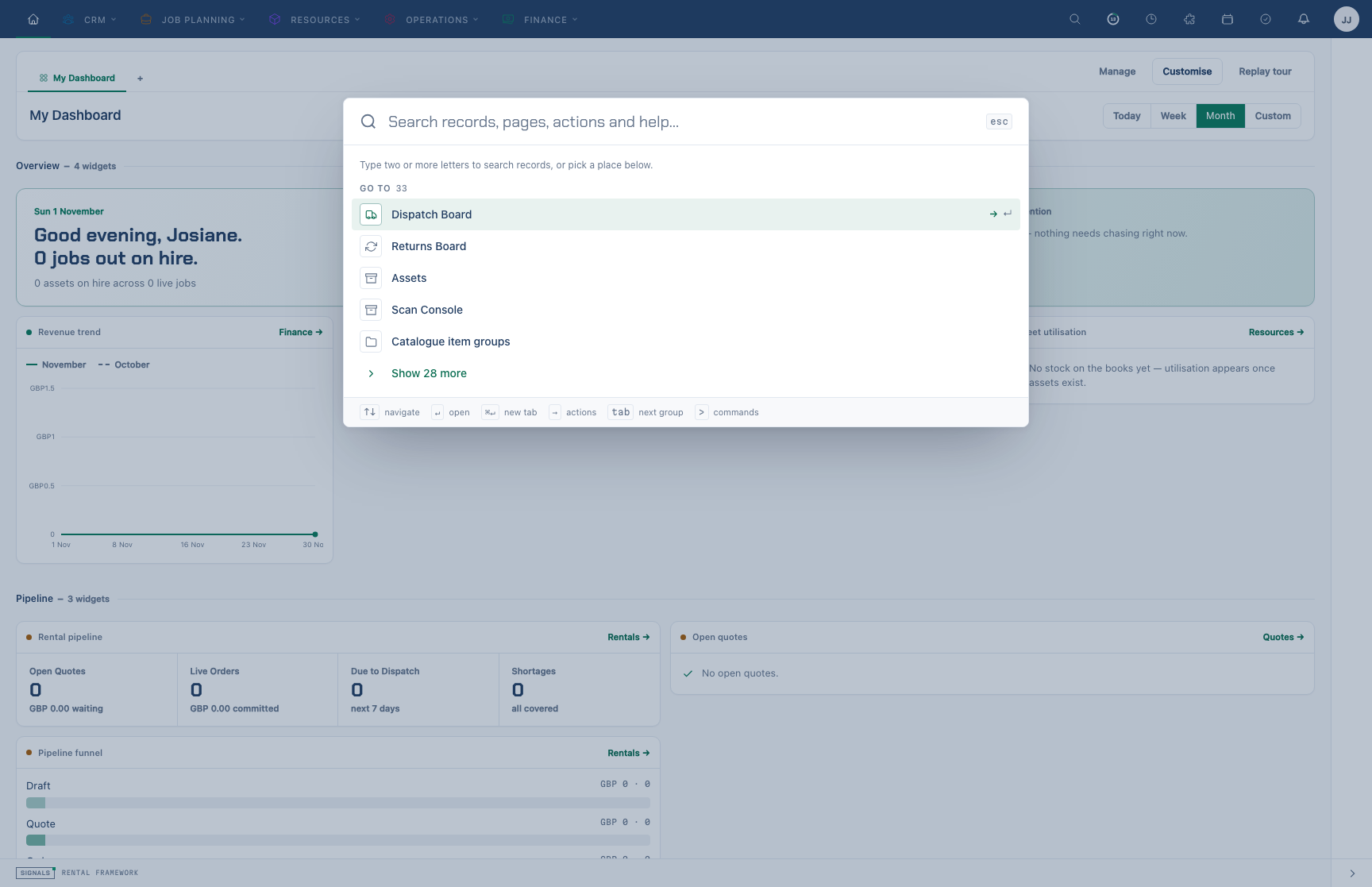
With nothing typed, the palette shows recent searches, recently viewed records, suggestions for the current page and places to go.
Empty state
Before you type, the palette is compact and offers, in order:
- Recent searches — your last five distinct search terms (from
recent_searches, recorded when you open a record from a search, pruned aftersearch.recent_retention_days, and only ever shown to you). Choosing one runs it again; the palette stays open. Remove one with its × (or select it and press Delete), or remove them all with Clear all in the group heading. Either shows an Undo toast (or press ⌘Z / Ctrl+Z) for six seconds; only when that passes — or the palette closes or the page is left — does the palette callDELETE /search/recent, which only ever touches your own history. If deletion fails, the removed searches return alongside newer history and an error prompts you to try again. - Recently viewed — the eight records you opened most recently. The first four show straight away; choose Show N more for the rest.
- Suggested for this page — actions the current page offers: buttons it has opted in (see Offering page actions), buttons with a keyboard shortcut (for example New Rental on the rentals list), and the create actions for the area you are in. Choosing one presses that button.
- Go to — navigation pages, five at a time with Show more.
As you type
- One character matches pages, actions, settings, recently viewed records and the current page's buttons immediately. Record search starts at the configured minimum, two characters by default (140 ms debounce,
GET /search?query=…). - While a request is in flight, the record rows already on screen that still contain every word you typed stay there, so results narrow instead of blanking. The newer request cancels the older one, and answers are cached for the session, so deleting characters is instant.
- Server results are merged under what is already showing: the top hit and the row you have selected stay put once you have moved the selection.
- Each group shows a few rows (three for records, four for the rest) with a Show N more row, and its heading shows how many it holds.
- The top hit and every row highlight the parts that match each word you typed.
- When records match, the last row is See all results for “…”, which opens the full results page.
- Documentation pages are matched by title, heading and summary (
GET /docs/search-index.json?fields=compact, loaded the first time you type three characters).
Top hit and intent
The best match is lifted into a Top hit card with a brief-style preview. What counts as best depends on what the query looks like:
| You type | Treated as | What changes |
|---|---|---|
A reference such as INV-2026-0001, PO-2026-0002 or 07 |
reference | A record whose number matches exactly becomes the top hit, labelled Exact match, so ↵ opens it straight away. Digits alone match ignoring leading zeros (07 finds rental 0000000007). |
Two or more words, such as Ada Lovelace |
name | Accounts and contacts are weighted first. |
create, new, add or make and a noun |
create | Create actions lead, e.g. New Rental for create rental. |
settings, admin or preferences and a word |
settings | Admin and personal settings lead, e.g. Tax Rates for settings tax. |
docs, help, how to or how do I and words |
docs | Documentation leads. |
| Anything else | search | Recently viewed, then records, pages, actions, settings and docs. |
A chip at the end of the search row shows the detected mode (REFERENCE, CREATE, SETTINGS, DOCS, COMMAND or SEARCH). Start the query with > for command mode: palette commands only, in their registered order, with no record search.
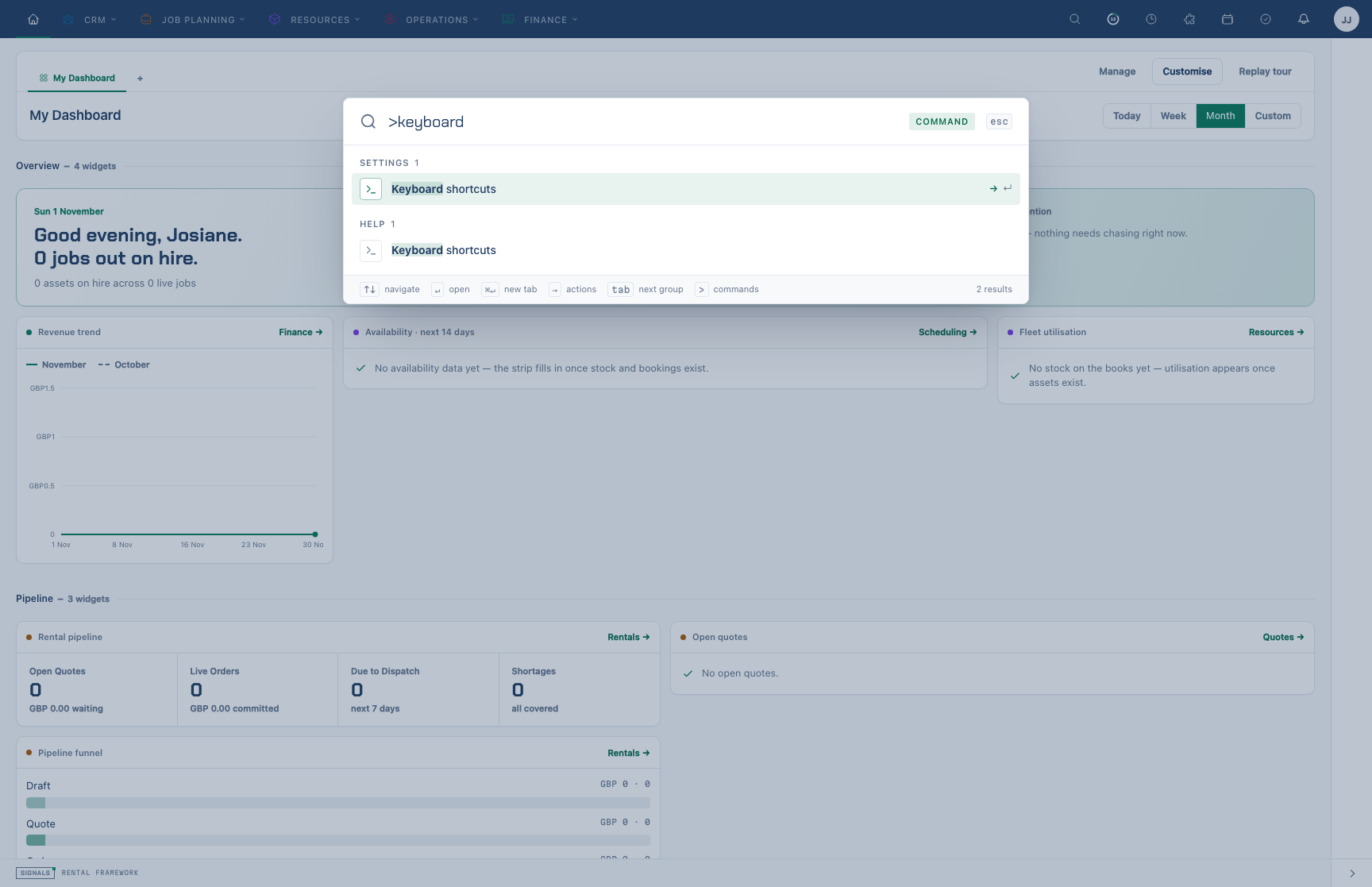
Starting the query with > switches to command mode: only palette commands are listed and no record search runs.
Result groups
Permission-gated record groups (via NavigationService::canSearch) are: Accounts, Workflows, Reports, Fleet, Catalogue items, Assets, Catalogue item groups, Flightcases, Activities, Rentals, Invoices, Credit Notes, Payments, Purchase Orders, Virtual Stock, Repairs, Stock Checks, and Warehouse Transfers. The palette returns at most 5 hits per record group, with up to 8 accounts from the permission-aware account matcher. Each group is the ordered start of its full-page results. Account typo suggestions follow literal matches and use a fixed candidate pool before either display limit is applied. Rental Projects is also an indexed group. Fleet vehicles, workflows, reports and flightcases use shared current-record matching by name, with exact names and prefixes ahead of other substrings. Fleet plates, report categories and flightcase barcodes also match. These providers retain permission and warehouse checks, and reports only include those visible to you. When indexed matching finds nothing, both web surfaces can return catalogue history and reserved SKUs, with merged items linking to their surviving item.
Alongside records the palette lists Recently viewed, Actions (create commands), Pages, Settings (admin and personal settings), On this page and Documentation. Asset rows show the asset number, shortened from the start so the distinguishing end stays visible.
Preview and actions
On desktop the selected row's preview sits to the right inside the same panel: kind and name, key facts (accounts, rentals and invoices carry their brief facts), headings for docs pages, and its actions. The coloured edge says what kind of thing it is: brand green for records and pages, green for an exact match, amber for actions, violet for documentation, grey for settings. Below about 900 px wide the preview is hidden; on phones each row has an ⓘ button that opens the preview as a full-height sheet with Back to results.
Actions for the selected row (→ opens them, type to filter):
- Open (↵) and Open in new tab (⌘↵ / Ctrl+↵ — the palette stays open).
- The record's own actions, such as Edit.
- For accounts: New rental for this account and New invoice for this account when you may create them.
- Copy reference for numbered records and Copy link.
States
- Loading — a skeleton only when nothing local matches yet; otherwise a spinner in the search row.
- No match — “Nothing matches …” with a hint to check the spelling, try a reference number or type
>. - Search unavailable — Record search isn’t responding with Try again; local matches still show below it.
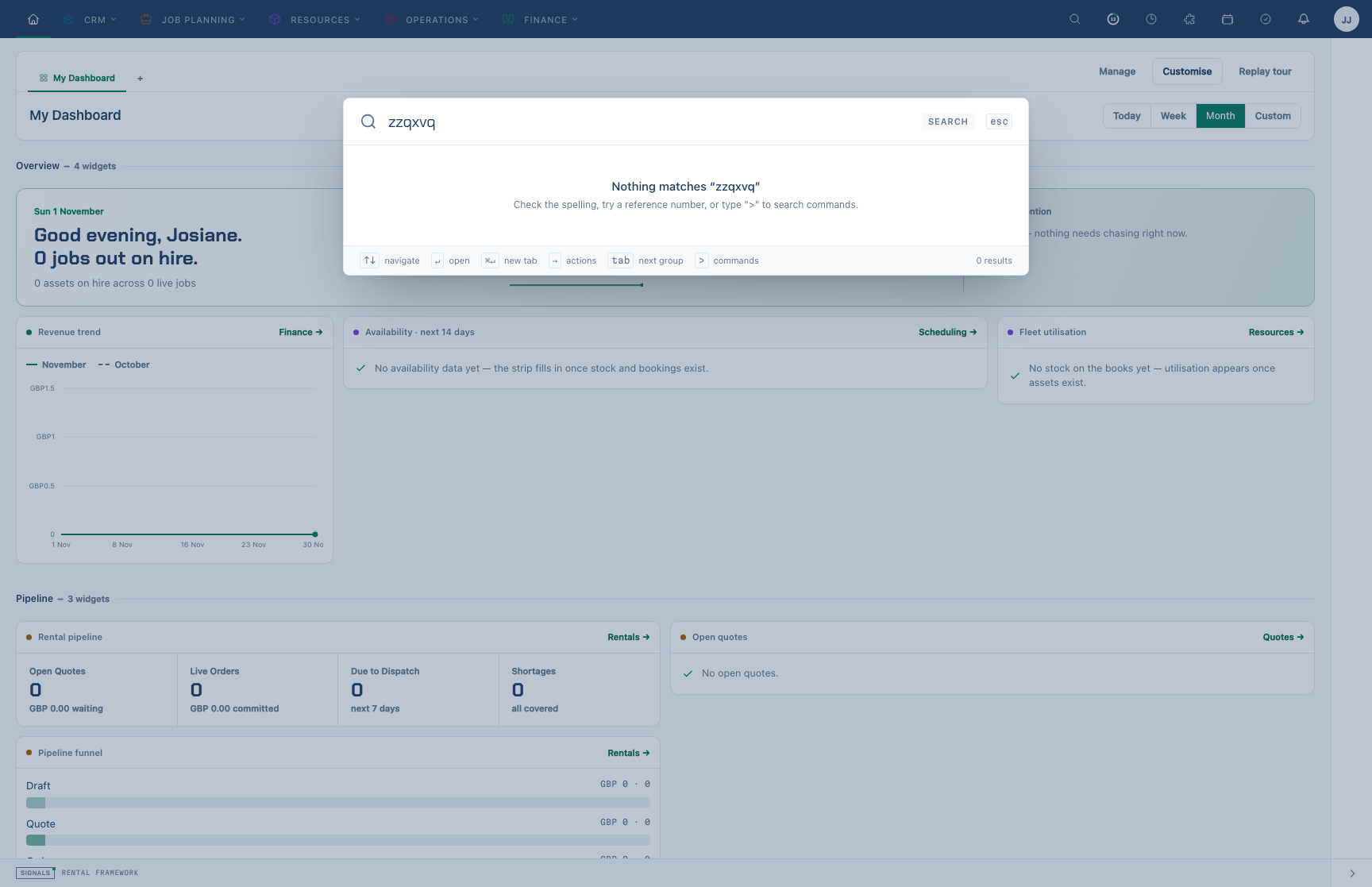
A query with no matching records or commands.
On phones the palette is a full-height sheet; the footer and the mode chip are hidden and the esc chip becomes Cancel.
Keyboard
| Key | Action |
|---|---|
| ↑ / ↓ | Move selection |
| Home / End | First / last row |
| Page Up / Page Down | Move five rows |
| Alt+↓ / Alt+↑ | Next group / the group before |
| Tab / Shift+Tab | Move between dialog controls |
| → (at the end of the text) | Open the selected row's actions |
| Enter | Open the selected row (or run it, show more, search again) |
| ⌘Enter / Ctrl+Enter | Open in a new tab |
| Esc | Close the actions, then clear the text, then close the palette |
For screen readers the search box is a combobox over the result list (and the actions list is its own combobox): the selected row is announced as you move, each group is a labelled group, and a polite status message reports “Searching…”, the number of results and the top hit (“3 results. Exact match: INV-2026-0001, Invoices”).
Full results page
See all results opens /search/results?q=…: indexed accounts, rentals, invoices, catalogue items and groups, assets, activities, credit notes, payments, purchase orders, repairs, projects, stock checks, warehouse transfers and virtual stock intakes, with up to the per-type ceiling (search.max_results_per_type_ceiling, 50) matches each instead of the palette's five. Type chips (with counts) filter to one group, results page 25 or 50 at a time, and matching words are highlighted. When the selected type reaches the ceiling the page says so and suggests adding a word. The palette, results page and REST search API share indexed matching, ranking, visibility rules and per-group permissions. The palette keeps the engine order while adding record previews and actions. Accounts share the permission-aware account matcher on all three surfaces; its identifier and contact-field rules remain separate from indexed candidates.
Workflow, report, vehicle and flightcase matches are currently available in the palette only. The All view does not display a per-type ceiling notice.
Offering page actions
Any page can offer actions to the palette without a keyboard shortcut. Add data-palette-action to a button or link — optionally with a label (data-palette-action="Show archived rentals") and data-palette-keywords="archive closed" for extra match words. The palette lists opted-in actions first under Suggested for this page and, while typing, under On this page; choosing one clicks the element, so it works even inside a closed menu. Disabled or aria-disabled elements are skipped, and because the attribute sits on the page's own controls, anything the viewer cannot see or use is never offered.
For actions that have no control of their own, render <x-signals.palette-actions :actions="[...]"/>: each action is a label plus either an href or a Livewire wire call (and optional keywords), emitted as hidden controls only the palette uses. Pass only actions the viewer may perform.
Privacy Operations and Merge recommendations appear under Navigation, subject to your permissions, and open in the admin sheet.
What the main pages offer:
| Page | Palette actions |
|---|---|
| Every record page with a tab strip (rentals, invoices, purchase orders, credit notes, payments, catalogue items, assets, accounts/contacts/venues, projects, repairs, flightcases, vehicles, equipment tests) | Open the … tab for each other tab, and Add to / Remove from favourites |
| Rental | Its allowed lifecycle actions (they open their usual confirmation) |
| Invoice | Record payment, Allocate, Raise credit note, Post write-off, Edit |
| Account / contact / venue | Edit, New rental, New activity, New invoice, add address/email/phone/link/relationship |
| Catalogue item | Edit, Duplicate suggestions, stock and related items pages |
| Asset | Record movement, Add cost, Raise repair, Perform an equipment test |
| Repair, project | Edit, Complete repair / Open rental diary |
| Rentals, accounts, catalogue, assets, projects, addresses lists | Archived and favourite filters, the add menu, status filters (Filter: …) |
| Invoices, purchase orders, credit notes, payments, certificates lists | Filter: … for each status or type |
| Reports | New report, Ask; on a report: Share & deliver, Save as copy, Folder & sharing |
| Workflows | All runs |
| Approvals | Approve with a note, Delegate, Reassign, Escalate, Replace escalation recipient |
| Activities, calendar | My queue / Everyone, favourite activities; Day / Week / Month view |
| Dispatch board | Show warehouse: … for each warehouse, Show all warehouses |
Buttons with a keyboard shortcut (for example New invoice, Export, Today) are offered as well, without any opt-in.
Where the behaviour lives
The palette's markup is the Blade component resources/views/components/signals/command-palette.blade.php; its behaviour is the signalsCommandPalette Alpine component in resources/js/command-palette.js, bundled by Vite. The component passes routes, translated labels and the record groups the viewer may search as one data-palette-config JSON attribute, so a group the viewer cannot search is never requested or rendered.
Relevance behaviour
In the command palette
The shared engine orders indexed candidates by exact title, title prefix, a word-boundary substring, then other matches. PostgreSQL full-text rank breaks ties within each tier, followed by descending record ID. SQLite uses the same title tiers and record-ID tie-breaker, with literal substring matching instead of full-text ranking. The palette preserves this order when building its record rows.
For the same query, the palette's indexed records form the start of each results-page group. For example, light finds both Lighting groups and Prolights catalogue items. Both surfaces validate the same bounded candidate pool, so rejected snapshots do not change matching according to the number of rows requested. When semantic search is available, related records supplement thin keyword groups on both surfaces, after the keyword matches.
Two-character queries use a case-insensitive title prefix or a complete individual metadata value, also case-insensitive. At three or more characters, title, content and metadata text support substring matches; PostgreSQL also admits full-text matches. PostgreSQL uses trigram GIN indexes on these three text fields, a full-text GIN, a title-prefix index and a JSONB GIN on normalized individual metadata values for exact matching. The palette and results-page minimum is configurable with SEARCH_PALETTE_MIN_LENGTH (default 2, minimum 2).
Palette operational logs sample one request in twenty by default (SEARCH_PALETTE_METRICS_SAMPLE_EVERY); sampled records contain duration_ms and result counts, without search text. Every palette request emits a numeric SearchPaletteMeasured duration observation for operational histogram collectors before log sampling. Collector failures do not interrupt search. API metrics remain unsampled.
List tables for registered searchable entities use the same indexed text predicate as filter[search], described in Search API. Title prefixes and exact metadata values work for short queries; substring matching starts at three characters. Existing list scopes, column filters and summary counts still apply. Indexed results reflect the latest completed index update. If a model has no index rows, registered list tables and API list search fall back to configured columns on the current records. This fallback does not include related identities or computed labels; those still require the index. Account list search requires identity visibility. Tables outside the searchable registry keep their configured columns and begin substring search at three characters.
Indexed lists include the search field, its f focus shortcut and clear control. Repair lists match notes as well as references and equipment descriptions; purchase order lists match references as well as numbers and supplier names. Account typo matching uses the current permitted account name; restricted aliases cannot supply a fallback match.
Search language
PostgreSQL fresh installations use a language-neutral simple dictionary with accent removal: cafe finds Café, and words such as the remain searchable. There is no stemming by default. Before migrating a fresh installation, set SEARCH_TEXT_SEARCH_LANGUAGE to a built-in PostgreSQL language such as german or english when language-specific stemming and stop-word rules are wanted. German stemming matches Leuchte and Leuchten in either direction.
The original search migration creates the signals_search configuration with accent removal before the selected language dictionary. The generated full-text vector, query parser and excerpts all use that configuration. The language choice is installed in the database; changing the environment value after installation does not rebuild stored vectors or change its dictionaries. SQLite uses literal substring matching without PostgreSQL language processing.
Reindexing
If results look stale after bulk changes, administrators can rebuild the index with the signals:search:reindex Artisan command. Its model list comes from the searchable registry, including rental projects. Normal create/update/delete paths keep the index in sync automatically.
Use php artisan signals:search:reindex --queue --prune for a full rebuild. One batch loader per model streams 500-record chunks to the embeddings queue, eager-loads payload relationships and publishes each chunk with one index upsert. It shares the embeddings worker group and connection (redis-embeddings or database-embeddings on self-hosted installations, with a retry window longer than the 600-second loader timeout); config/queue.php defines it. --model=Account limits the models and --since=2026-11-01T00:00:00Z limits records by update time. Retrying a chunk is safe. The batch completion timestamp advances only after every chunk succeeds. --prune removes missing or soft-deleted sources after the rebuild; the same orphan sweep runs nightly.
System Health reports indexed rows, pending observer work, the earliest pending dispatch and the last completed rebuild. Account operations health also reports missing-row counts for searchable models with fewer than half their records indexed; privacy-restricted and purge-pending accounts are excluded from that comparison. Debouncing preserves the first pending timestamp. Work delayed for more than five minutes raises a configurable Search indexing delayed notification for active owners through the existing notification preferences. Repeated alerts have a 30-minute cooldown. Privacy-sensitive publication keeps shared subject locks until its index write commits; restriction paths retain exclusive locking.
Related
-
Search API —
GET /api/v1/search, semantic search and thefilter[search]filter -
Keyboard shortcuts — Cmd-K and
/ -
AI embeddings — hybrid / semantic API search
-
CRM & Addresses — addresses are not a Cmd-K bucket; use the address list search
-
Rental Diary — find rentals from the palette, then open the diary for the overlap timeline
Indexed visibility and account identifiers
search_index carries a warehouse key and scope flags alongside each text snapshot. Candidate queries use these keys directly, including either endpoint for transfers and the required finance parent warehouses. They do not scan source tables to discover visible IDs. Each bucket hydrates one batch of at most 200 keyword candidates, with a bounded title typo pass for thin results. Current model scopes, policies, privacy checks and payload validation remain the authority before a result is returned. Stale candidates can temporarily leave a bucket below its requested size. A warehouse move can temporarily hide a result until its queued projection refresh completes; it cannot grant access to a current source outside the reader's scope.
Account matches use three private normalized projections: identity, commercial and contact data. Only permitted projections enter the match predicate. Indexed admission and account warehouse assignments filter candidates before a single hydration batch, capped at 200 accounts. Current scopes and permitted highlights validate that batch. A query dominated by stale identifiers can return fewer matches until the projection refreshes. A bounded title typo pass can supplement a thin result. These projections never enter public metadata, snippets or the general full-text vector. Contact, relationship and account warehouse changes refresh the account projection; bulk SQL writers must explicitly rebuild the affected index rows. Rental warehouse changes also refresh the indexed keys for invoices, credit notes and payments reached through those invoices.
Searches performed for an explicit recipient use a scoped recipient context for permission and warehouse reads without replacing the signed-in viewer. Semantic fallback belongs to the individual search outcome, so a failed provider call cannot affect the next search notice. Vector availability is cached under tenant-qualified keys and probed by a scoped service. Catalogue trigram thresholds apply only inside the ranking transaction.