Stock Checks
Stocktakes — count sheets, discrepancy resolution, and reopening checks.
Overview
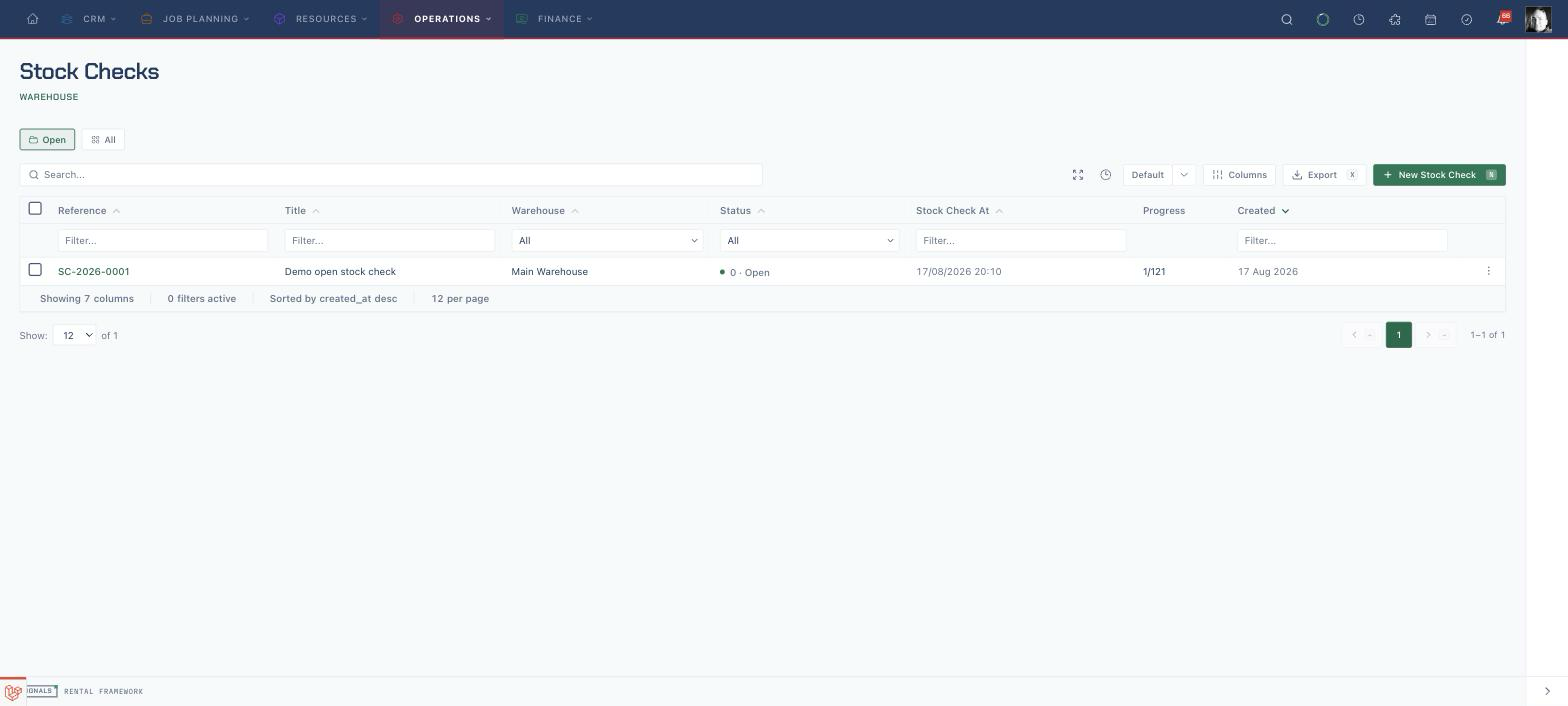
A stock check (stocktake) reconciles what you counted against what the system expected for a scoped set of stock, then moves stock to close the gap. Checks are warehouse-scoped and carry SC- reference numbers.
Stock check UI routes:
| Route | Purpose |
|---|---|
/stock-checks |
Stock check index (Open/All scope toggle) |
/stock-checks/create |
Create a check with a scope picker and filters |
/stock-checks/{stockCheck} |
Count sheet, discrepancy review, close and reopen |
/stock-checks/{stockCheck}/edit |
Edit an editable check |
Scoping a check
A check targets one of four scopes — warehouse, catalogue item group, location, or a single catalogue item — optionally narrowed by stock type, tags, and tracking filters. Creating the check snapshots the expected baselines for its scope and lands it in the counting state.
Counting
The count sheet groups lines by catalogue item group. Counting is line-scoped, so multiple people can count concurrently without a check-level lock:
- Bulk items accept additive counts (add what you find) or absolute counts (set the total).
- Barcoded assets are marked present or absent, and can be entered by asset number.
- An in-scope asset that was not expected is added as an unexpected line.
Recount expected (uncounted lines only) refreshes baselines only for lines that have not yet been counted. The close confirmation also warns that an uncounted loose-stock line is omitted from discrepancy detection, while an uncounted expected barcode is treated as missing.
On /stock-checks/{id} while the check is in the counting phase, an operator who holds scanning.scan and may open sessions at the check's warehouse (scanning.manage_sessions) gets the scan desk above the count list: the page reattaches that operator's own open stocktake ScanSession for this check, or opens one. It is the same desk the Scan Console runs for the Stocktake context, with the session band, Scanning and Overview tabs, the scan field and the check's worklist. Scans drive counts through SubmitScan; the desk's Count and Uncount bulk actions mark selected rows present or reverse their counted contribution. List chips, the −/+ stepper, and Recount stay as list-driven RecordCount / RecountStockCheckItem edits. Each operator gets their own session. An operator without those permissions sees the count list on its own.
When blind count is on, the desk is handed a worklist that carries no expected quantities, and the band's progress and remaining figures read as hidden. The count list still masks row expected as •• exp. Toggling blind count reloads the page so the desk picks up the change.
Discrepancies & resolution
Closing the check detects and records the discrepancy matrix without moving stock. Resolution then moves stock through the normal asset ledger — nothing bypasses it:
- Increases and decreases write typed
StockCheckIncrease/StockCheckDecreasetransactions carrying the discrepancy as their source. - Missing barcoded assets are retired as lost.
- Unexpected assets are relocated, with their prior placement saved.
Two modes control resolution (set in Scheduling, alongside automatic missing-asset write-off and blind-count defaults):
| Mode | Behaviour |
|---|---|
| Auto-apply (default) | A job resolves eligible discrepancies and completes the check only when none remain open |
| Review | Discrepancies are parked for per-row resolve/dismiss; the check auto-completes when the last one clears |
When automatic missing-asset write-off is disabled, missing-barcode discrepancies remain open. The check stays in review and continues to show Variance reveal until those discrepancies are resolved or dismissed.
Reopening a check
Reopening a check with applied adjustments writes opposite-type compensating transactions of equal magnitude, voids any retirements the check created, undoes relocations, and cancels the check. Because the ledger is append-only, the adjustments net back to zero rather than deleting history. Reopening a check without applied adjustments returns it to counting and clears its discrepancies. The action warns before proceeding.
The stock-check detail page includes an Audit Timeline card of recorded activity for the check.
Scanning
The stocktake scan context feeds counts into the same count seam as manual entry. The count sheet itself embeds the scan desk for an open stocktake session (session-backed counting); the Scan Console remains available via the Scan mode header link, which opens the console's Stocktake context for this check. Deep links still move between the count sheet and the console.
Permissions
API
Use GET or POST /api/v1/stock_checks/{id}/counts to list or record counts, and GET or PUT /api/v1/stock_checks/{id}/counts/{count} to view or update a count. The lifecycle actions are POST /api/v1/stock_checks/{id}/close, POST /api/v1/stock_checks/{id}/reopen, and POST /api/v1/stock_checks/{id}/recount. Discrepancies remain available under /api/v1/stock_checks/{id}/discrepancies.
Choose Stock Check Count Sheet on the check to export its counts as CSV. Small exports show a Download button immediately; queued exports appear in Export jobs. This requires permission to create exports and view the check.
To export through the API, create an export job with POST /api/v1/exports:
{
  "source": "stock_check_count_sheet",
  "params": {"stock_check_id": 42}
}
The export requires permission to create exports and view the check, as well as the exports:write and stock_checks:read token abilities. The resulting export job provides download metadata when complete. See the Stock Checks API for the full REST surface.
Discrepancy responses include asset_ledger_entry_id when resolution creates a ledger entry; otherwise it is null.
Stock-check requests and responses use scheduled_for for the snapshot time, scope_tags for a list of catalogue-item tags, and return_booked_assets to return booked assets found during counting. Tags match any listed value; an empty list removes the tag restriction. Count rows expose quantity_on_hand and counted_quantity.
Closing in review mode returns status: "closed" with status_label: "Closed" while discrepancies await resolution. Filter those checks with filter[status][eq]=closed. Automatic resolution can finish within the close request and return status: "completed".